MITRE ATT&CK in SmartView
MITRE ATT&CK is a new methodology to investigate security incidents.To use this feature, you must have an enabled Threat Emulation blade and SmartEvent.
In SmartView, you can use the MITRE ATT&CK view to:
-
Quickly locate the tactics (malicious files) and techniques the attackers use against your network.
-
Use a heat map to locate the top techniques, drill down to understand where damage occurred from malicious files, and follow the MITRE ATT&CK mitigation recommendations.
-
Extract immediate action items based on the mitigation flow
To access the MITRE ATT&CK view:
-
Open a new catalog in and select the MITRE ATT&CK view.
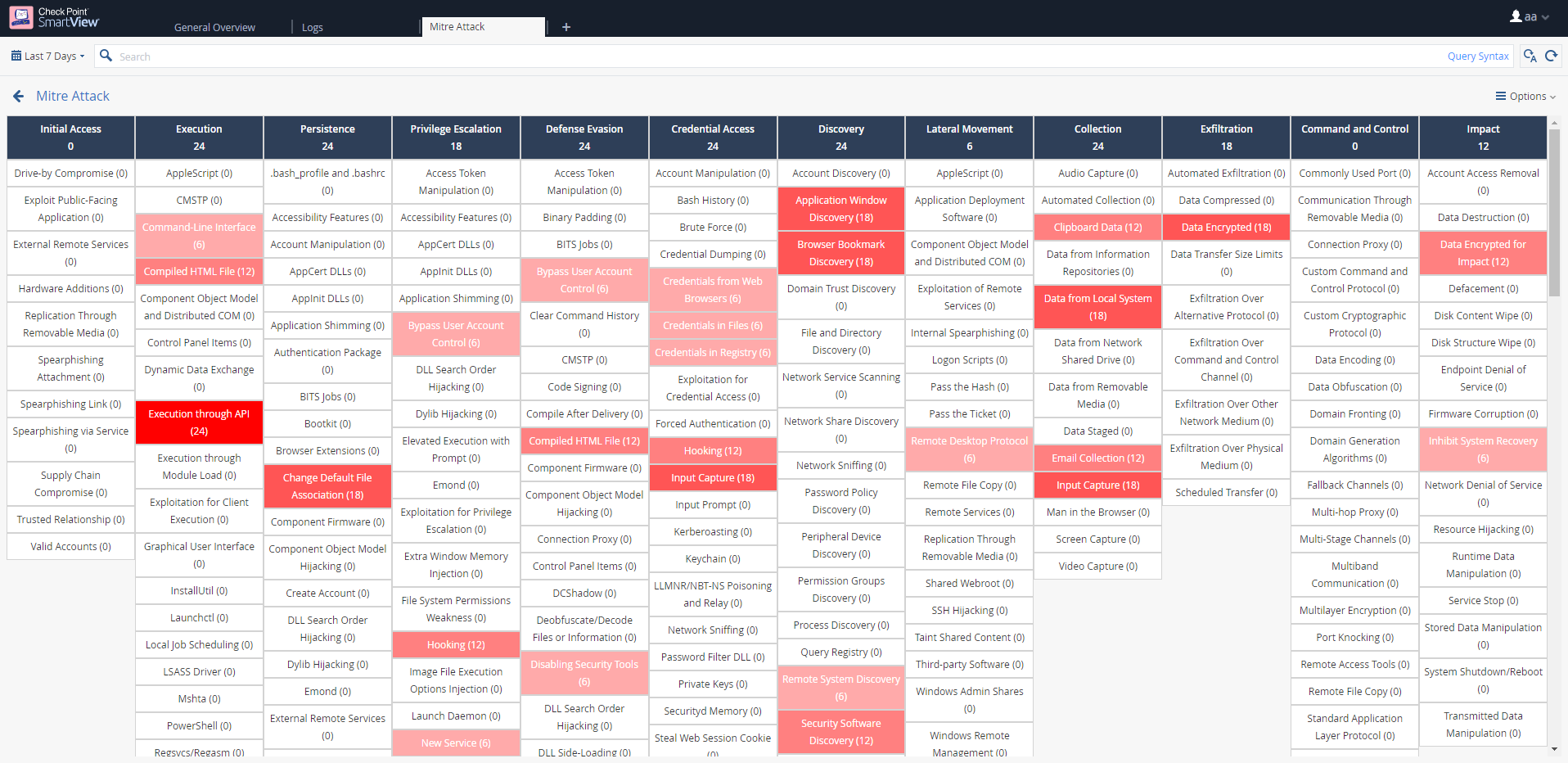
A heat map table opens. The darker the color, the higher the number of attack attempts.
-
Double click on a technique that is the darkest shade of red. You can now drill down further.
-
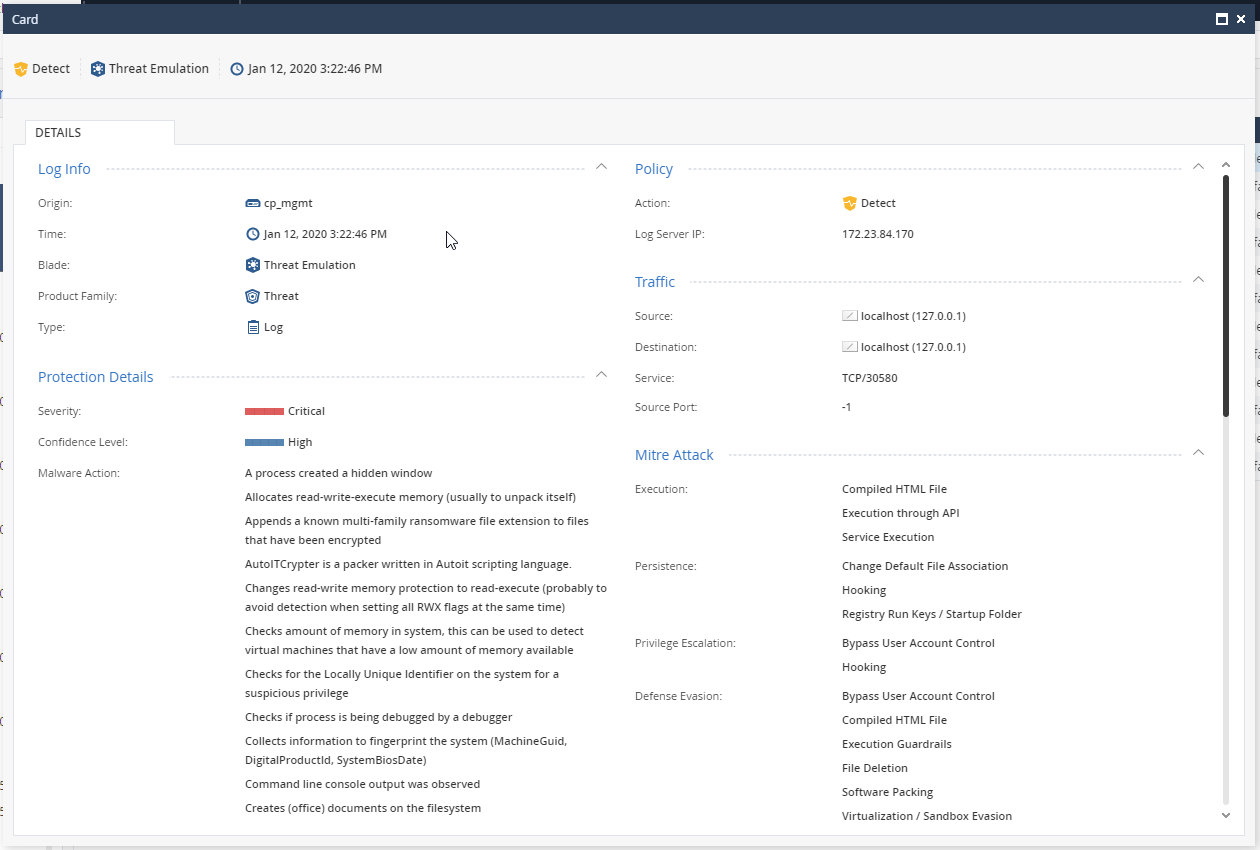
Review the different malicious emails/file downloads and click one of the logs.
-
Inside the log, you can review the entire list of MITRE ATT&CK tactics and techniques used by the attacker for the specific attack.
-
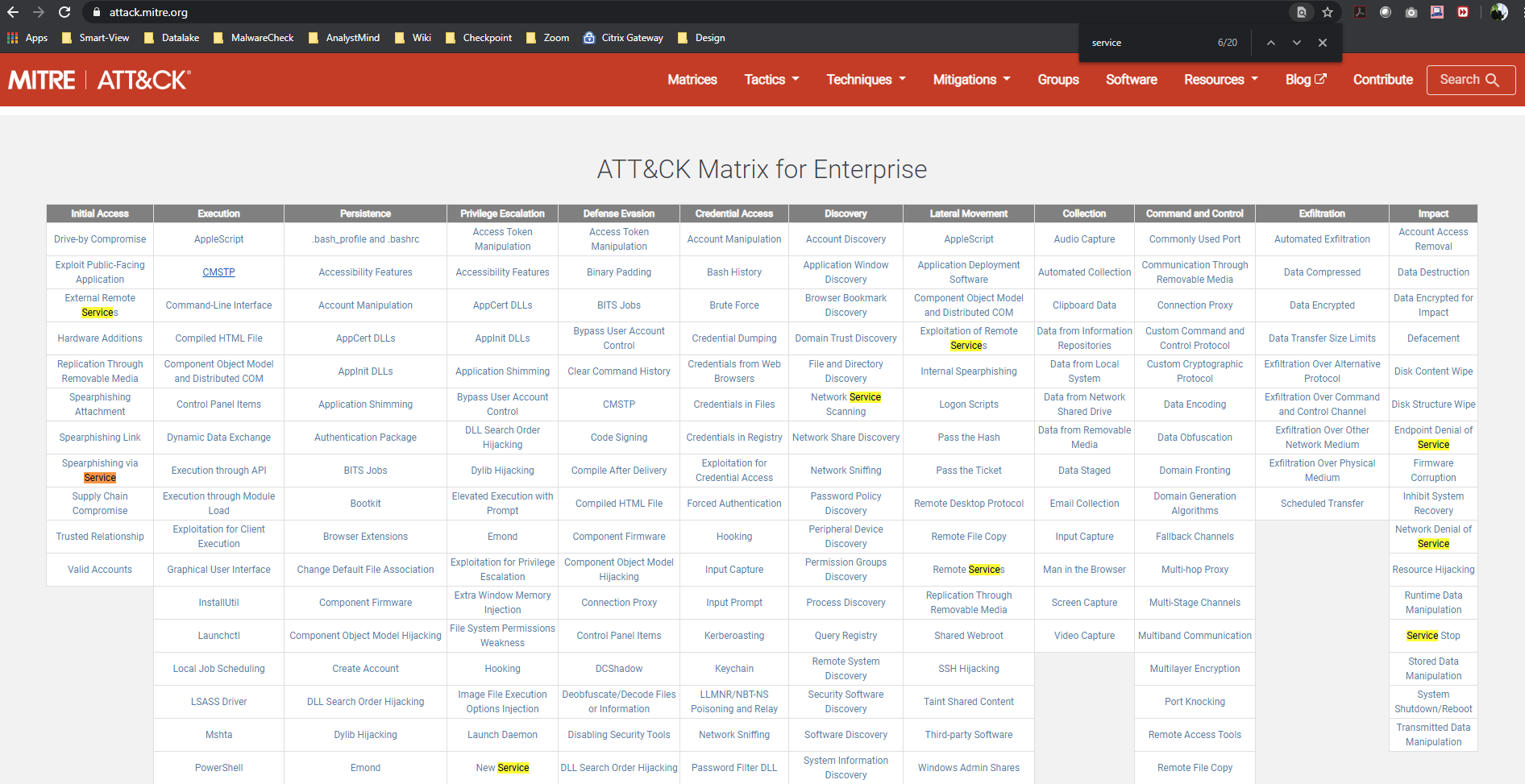
When locating the technique (for example, Service Execution under Execution) go to https://attack.mitre.org/
For more information, see SmartViewのMITRE ATT&CK.