
Qualys Integration with TEM
Qualys Vulnerability Management is a cloud-based solution that helps organizations identify, prioritize, and remediate vulnerabilities through continuous scanning, risk assessments, and actionable insights.
When Qualys integrates with Threat Exposure Management (TEM), TEM correlates vulnerabilities from Qualys with other controls and prioritizes remediation of critical risks.
Integrating Qualys with TEM
Step 1 - Configuring the Qualys Portal
-
Sign in to Qualys portal with a role that has user management permissions, typically Manager or User Administrator.

Note - If default roles were changed, make sure the selected role can manage users. For more information, see User Roles and Permissions.
-
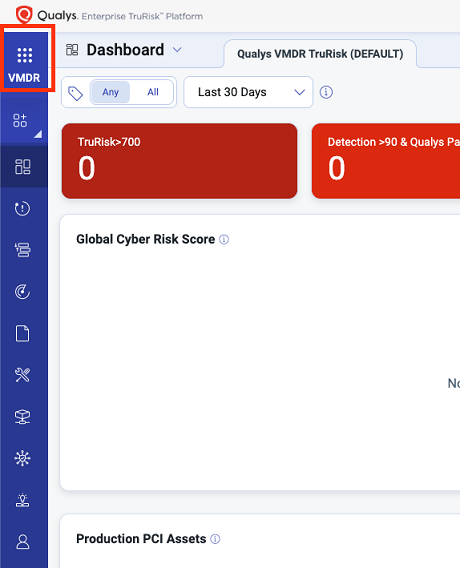
Make sure you are on the VMDR app.
-
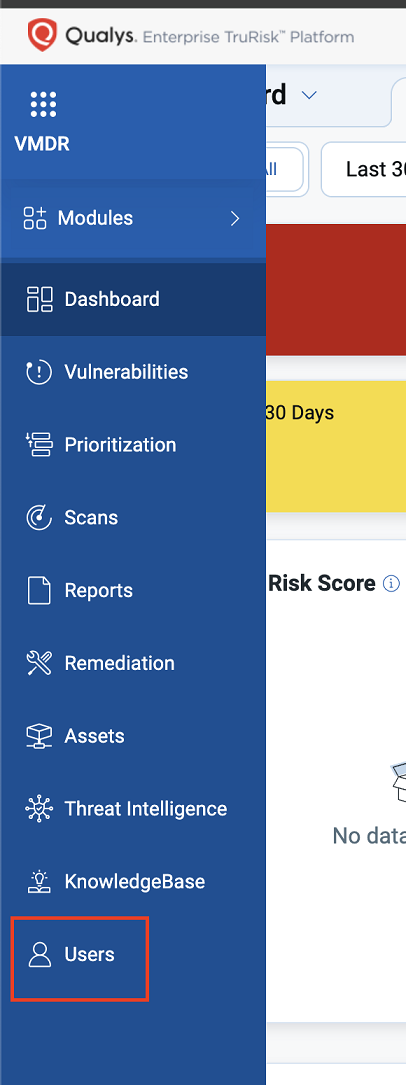
On the left pane, click Users.
-
Click New > User.
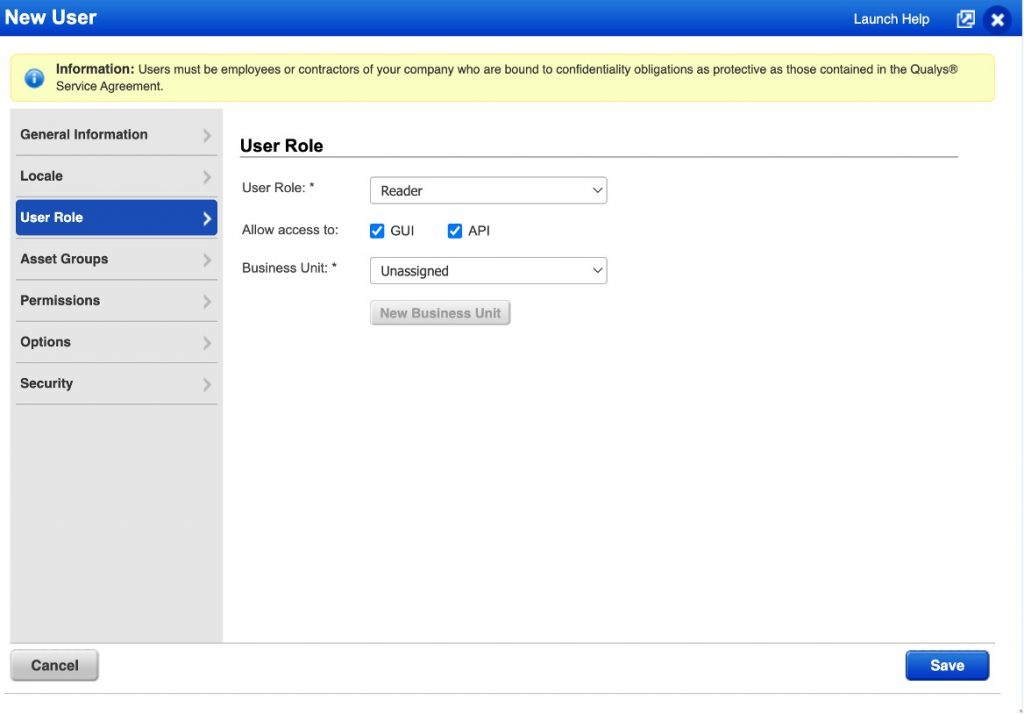
The New User window appears.
-
Enter the user details:
-
User Role - Select Reader.
-
Enable access for GUI and API.
-
Go to the Asset Groups section and choose the relevant group.
-
-
Click Save.
The system sends an activation email to the registered email address.
-
Follow the instructions in the email to activate the account.
Use the newly generated username and password as your credentials for integration in the TEM portal.
Step 2 - Configuring the TEM Portal
-
Log in to the TEM portal.
-
Go to Settings > Integrations > Catalog and select Qualys Vulnerability Management.

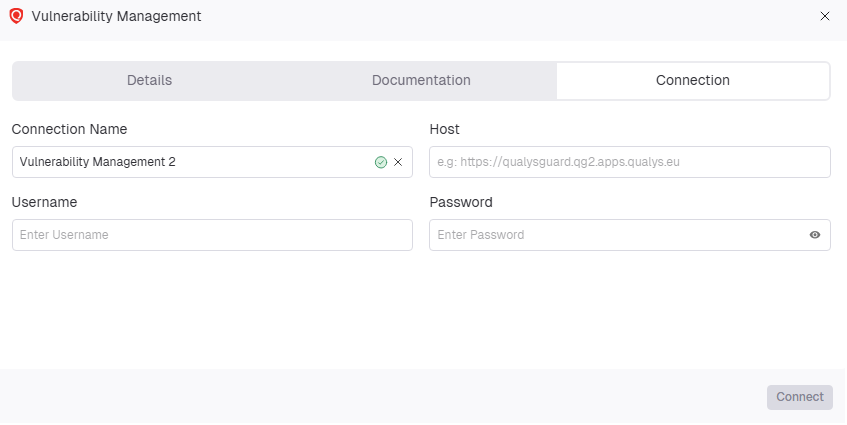
The Vulnerability Management pop-up appears.
-
Go to the Connection tab and enter these details:
-
In the Connection Name field, enter a unique name to identify the integration.
-
In the Host field, enter the hostname or IP address of the Qualys portal.
-
In the Username field, enter the username created in the Qualys portal.
-
In the Password field, enter the password of the user created in the Qualys portal.
-
-
Click Connect.