Settings
Identity Provider (IdP) Configuration
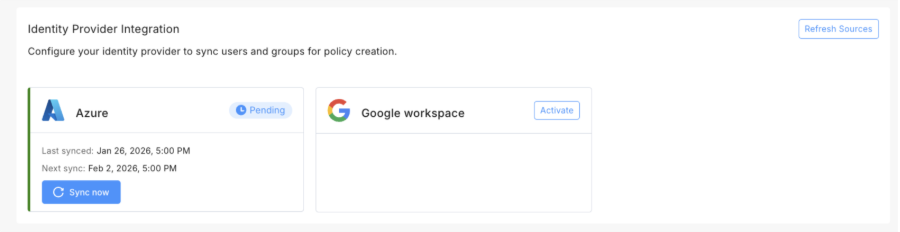
Attach your IdP configuration to sync users and groups for policy creation.
|
|
Note - The IdP connection is established through Check Point's Identity and Trust. The initial configuration must be completed in Identity and Trust. For more information, see the Identity and Trust Administration Guide. The Settings page displays the existing IdP connections. |

To configure IdP:
-
From the left menu, navigate to Settings.
-
In the Identity Provider Integration section, select your IdP configuration.
-
Click Refresh Sources to synchronize the IdP hierarchy.
-
Click Sync now to synchronize users and groups.
Domains Configuration
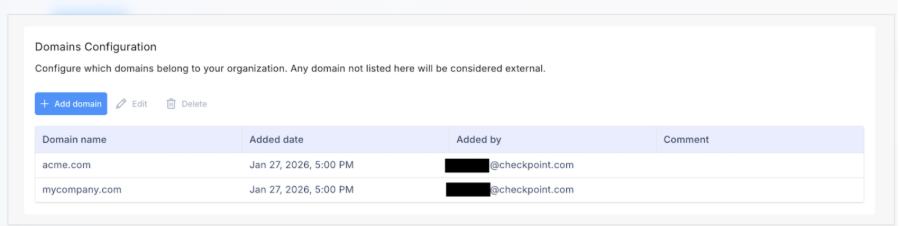
Add your organization's domains so SaaS can distinguish internal users from external ones for sharing purposes. Any domain you do not add to this list is automatically treated as external.
Define organizational domains to identify external sharing.
To configure domains:
-
From the left menu, navigate to Settings.
-
In the Domains Configuration section, click Add domain.
-
Enter the domain names you want to define as internal.