
Pre-Login Tunnel Connection for Windows
Pre-Login Tunnel Connection allows users to establish a secure SASE tunnel before signing in to the Windows operating system. This capability enables access to private organizational resources, such as on-premises Active Directory (AD), even when users are outside the corporate network and have not yet signed in to the device.
When enabled, the SASE Agent authenticates the user and creates a secure tunnel directly from the Windows login screen. This ensures that required Private Resources are available during the Windows sign-in process.
|
|
Note - This feature is available in Early Availability (EA). For access, contact Check Point Support. |
Use Cases
New Device Provisioning for Remote Users: Remote users who receive a new PC might need access to an on-premises Active Directory domain defined as a Private Resource. Because AD access requires an active secure tunnel, Pre-Login Tunnel Connection enables the tunnel to be established before the first Windows sign-in.
Remote Troubleshooting and IT Support: If users cannot sign-in to Windows or require assistance before sign-in, Pre-Login Tunnel Connection enables secure connectivity to Private Resources. This allows IT teams to access required systems and provide troubleshooting support securely.
Prerequisites
-
SASE Agent version 12.5 or higher is installed on the endpoint.
-
The SASE Agent is connected to the organizations workspace.
-
Pre-Login Tunnel Connection is enabled at the tenant level.
-
Users have access to a secondary authentication device, such as a mobile phone for multi-factor authentication approval.
Limitations and Technical Notes
-
Shared Device Protection (Multi-User Environments): If Shared Device Protection is enabled, Pre-Login Tunnel Connection is not supported.
-
Device Posture Check (DPC): Device Posture Check is not performed while no user is signed in to the operating system. DPC runs automatically after the user signs in to Windows.
-
Agent Upgrade Enforcement: Agent upgrades cannot be enforced while no user is signed in to the operating system. Any pending upgrade enforcement occurs immediately after Windows login.
-
Network Selection: Manual network selection is not available in pre-login mode. The agent connects automatically to the last connected network, or to the default network on the first connection.
-
Trusted Network Detection: Trusted Network Detection is disabled during pre-login mode and resumes after Windows login.
-
Internet Access Only License: Users with an Internet Access only license cannot use the pre-login Tunnel feature.
Enabling Pre-Login Tunnel Connection
Pre-Login Tunnel Connection is controlled at the tenant level and applies to all users in the tenant.
-
Turn on the Windows device.
-
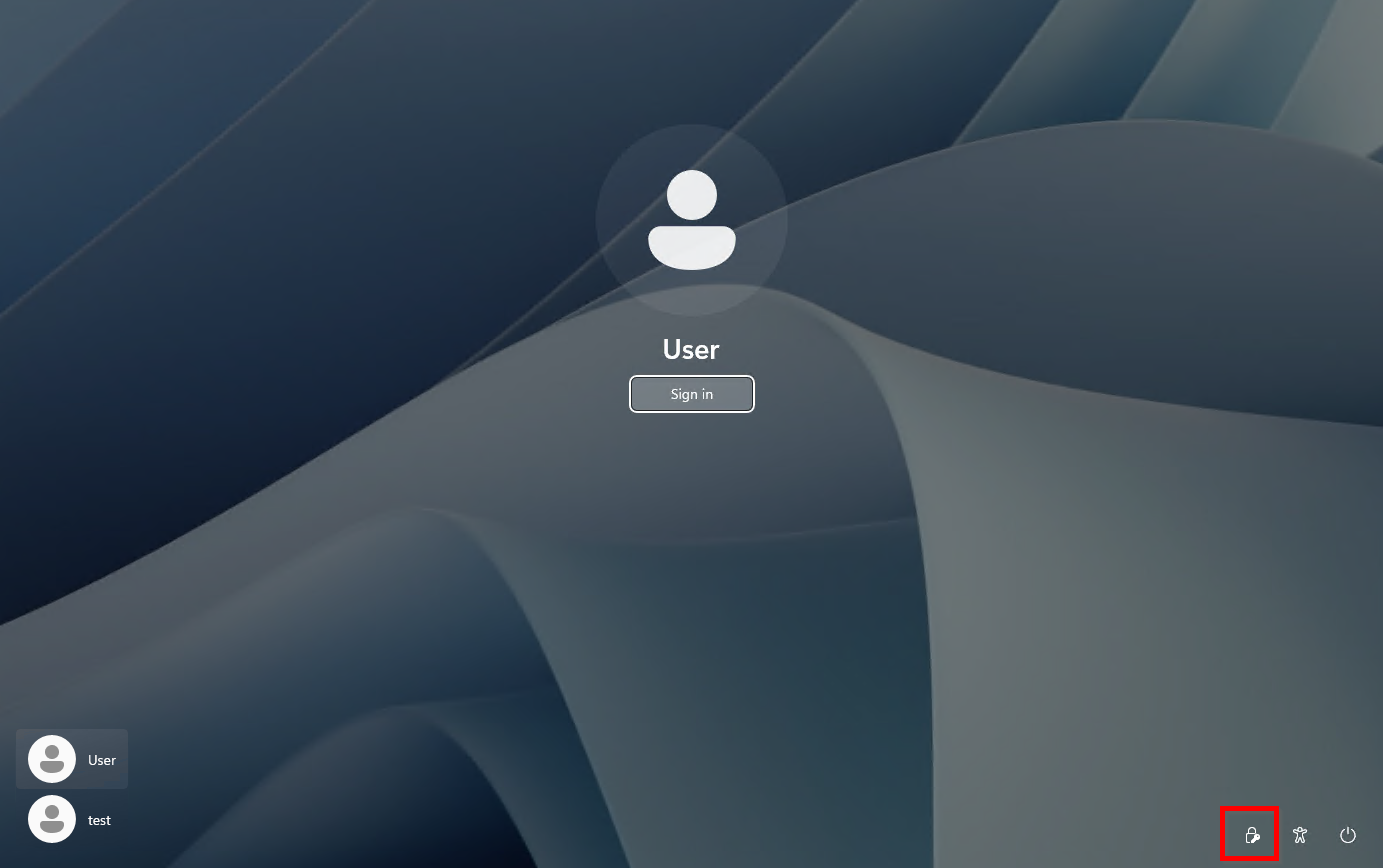
On the Windows sign-in screen, click the Network icon.
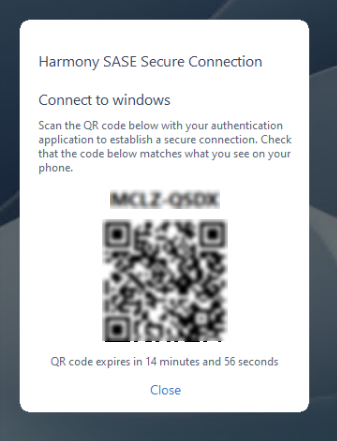
The pre-login agent displays a QR code.
-
Use a secondary device to scan the QR code.
-
On the secondary device, verify the matching code and complete authentication.
-
After successful authentication, the SASE Agent establishes a secure tunnel.
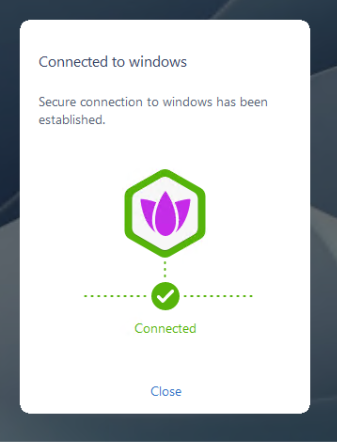
 Note - The name represents your organizations configured tenant. For example, “Connected to <Tenant Name>” based on the tenant configuration.
 -
Sign in to Windows.
The device can access required Private Resources, such as Active Directory, and the secure session continues uninterrupted.