
CrowdStrike Falcon
You can use CrowdStrike Falcon as an Identity Integration for Identity and Trust. CrowdStrike Falcon sends information about endpoint users' IP addresses and devices to Identity and Trust.
 Step 1: In CrowdStrike Falcon, add an API client and copy the Client ID, Secret Key, and Base URL
-
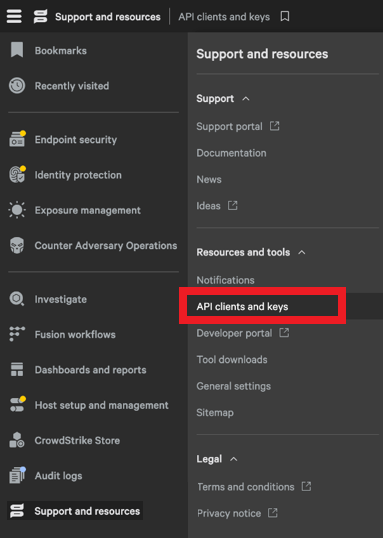
Go to Support and resources > API clients and keys.
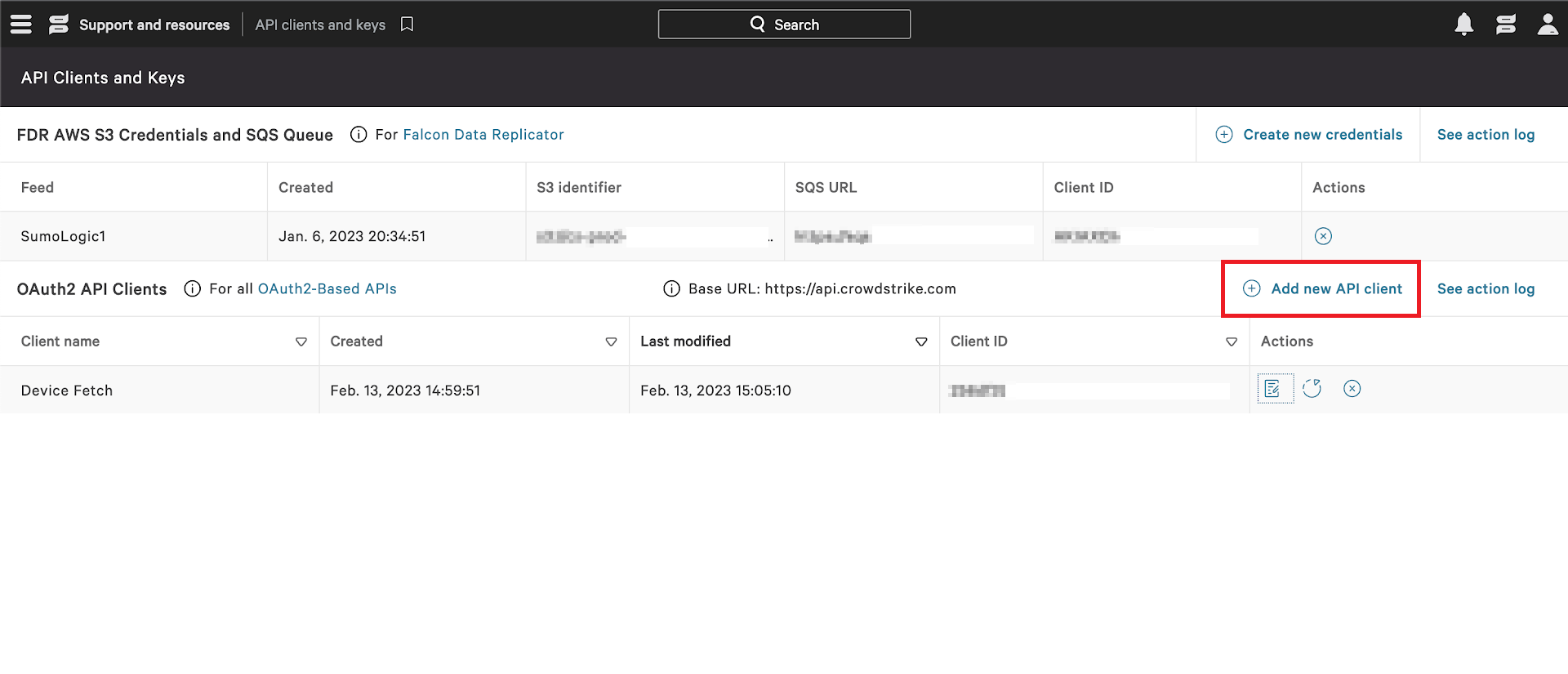
The API Clients and Keys window appears.
-
Click Add new API client.
The Create API client window appears.
-
Enter these:
-
Client name
-
Description
-
-
Select the relevant scopes:
-
Hosts - Read
-
NGSIEM - Read, Write
-
-
Click Create.
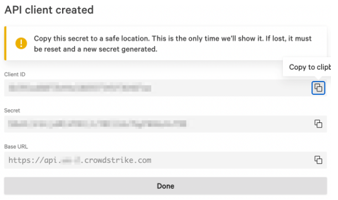
The API client created window appears.
-
Click
 to copy Client ID, Secret Key and Base URL.
 -
Click Done.
Step 2: In Identity and Trust, create a card for CrowdStrike Falcon
-
From the left toolbar, click Integrations.
-
Click the + (plus sign) button.
-
Select Identity Integrations > CrowdStrike Falcon.
The CrowdStrike Falcon window opens.
-
In the Integration Title field, enter a name for the integration to appear in Identity and Trust.
-
In the CrowdStrike Falcon client ID field, paste the Client ID that you copied from CrowdStrike Falcon.
-
In the Secret Key field, paste the Secret Key that you copied from CrowdStrike Falcon.
-
In the CrowdStrike Falcon URL field, select the relevant URL for the region of your CrowdStrike Falcon environment.
-
Click Test Connectivity.
-
After a successful connectivity test, click Save.