
Assigning Apps to a User Group
Prerequisite
Make sure to create a user group which has the devices to be synced for the integration.
To assign apps to a user group:
-
On the BlackBerry UEM
 Unified Endpoint Management. An architecture and approach that controls different types of devices such as computers, smartphones and IoT devices from a centralized command point. console, go to Groups > User.
 -
Select the user group.
-
In the Assigned App section, click +.
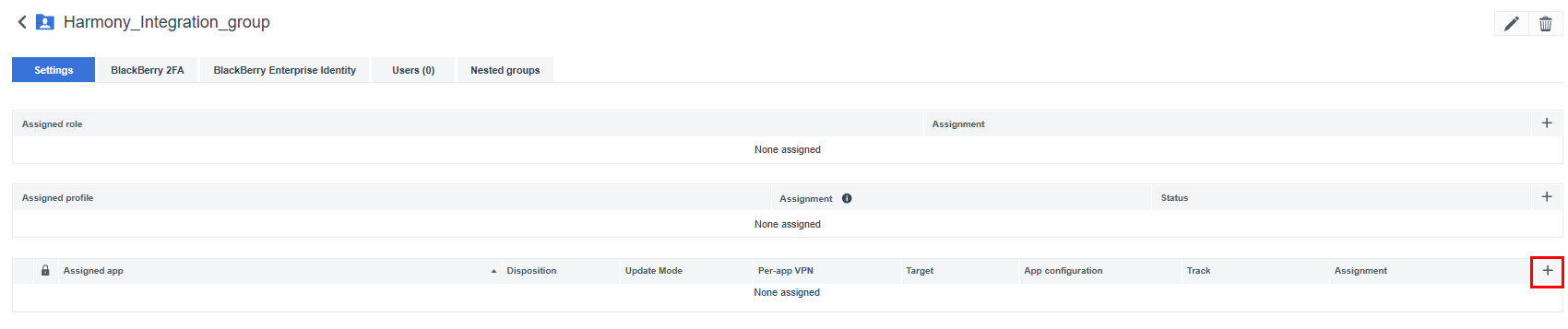
-
Select the Mobile Security Protect app for iOS and Android.

-
Click Next.
-
In the Disposition column, select Required.
-
In the App configuration column, select the app configurations you created.
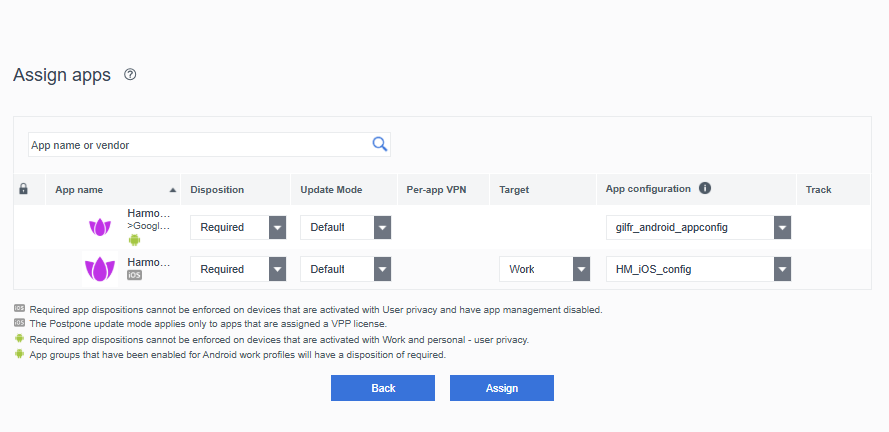
-
Click Assign.
All users in this group will now have the Mobile Security Protect app pushed to their devices.