
Integration with Applivery UEM
Preparing UEM Platform for Integration
Prerequisite
Administrator role in Applivery dashboard.
Enrolling Devices
-
Log in to your Applivery dashboard.
-
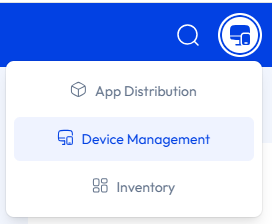
Go to Device Management.
-
Go to the Devices tab and click Enroll device.
-
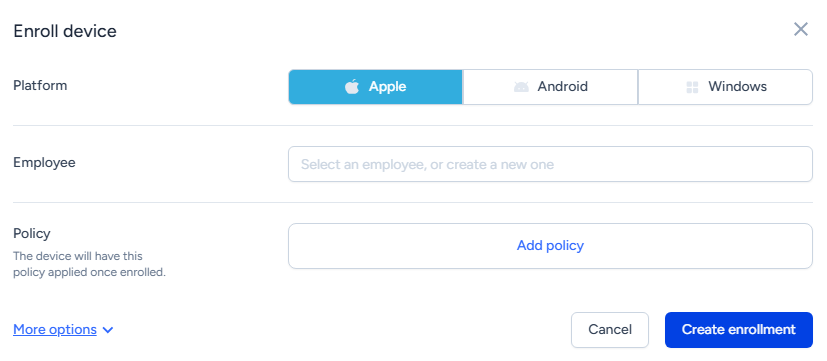
Do these:
-
Select the device platform.
-
Enter the user details.
-
Add the policy to be applied on the device.
-
-
Click Create enrollment.
-
Complete the enrollment as per the instructions displayed.
-
To add the device to a device group, click the
 icon in the Tags section.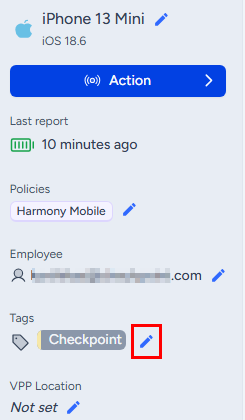
-
Enter the device group.
-
Click Save.
After the enrollment is completed, the system displays the device details. The system force installs the Harmony Mobile Protect app on the device.