
Network
The Network tab displays any network event reported. It provides a more granular view of network events in the context of the network in which they occurred. The network events reported are:
-
SSL Stripping – A third-party intercepted the traffic and downgraded it from HTTPS to HTTP.
-
SSL Interception (Basic) – A third-party intercepted the traffic and posed as the original requester to the target server while controlling the responses back to the requester.
-
SSL Interception (Advanced) – Similar to basic SSL
 Secure Sockets Layer. The standard security technology for establishing an encrypted link between a web server and a browser. Interception, however, in this case the perpetrator responses are encrypted with an SSL certificate issued by a certificate authority listed as trusted on the victim’s device. This can be gained by either deceiving the certificate authority to issue an SSL certificate to the perpetrator or by injecting the perpetrator’s certificate to the victim device’s trusted list. This attack requires advanced skills and a higher level of sophistication.
 -
Captive Portal Redirection – The traffic from the device is redirected to the network portal for registration to the network. This is common with public networks, especially free networks, such as those in airports, hotels, and cafes.
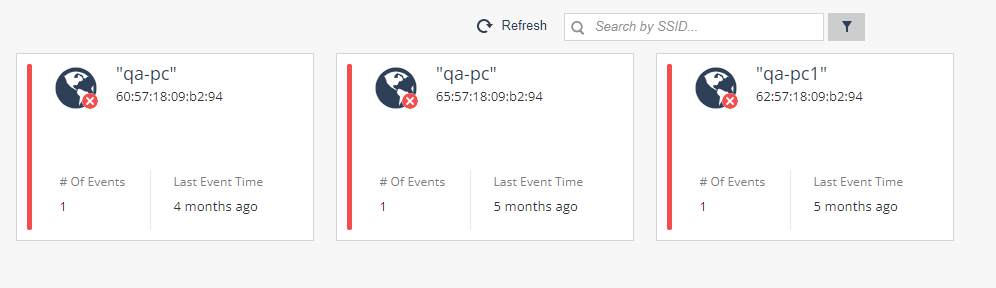
You can click the  icon to filter the list of networks based on Network Name (SSID Service Set Identifier. The technical term for a wireless network name that you see when you connect your device to your wireless home network.), BSSID, Device ID (affected device), and Network Status.
Clicking on one of the network card opens the network overview:
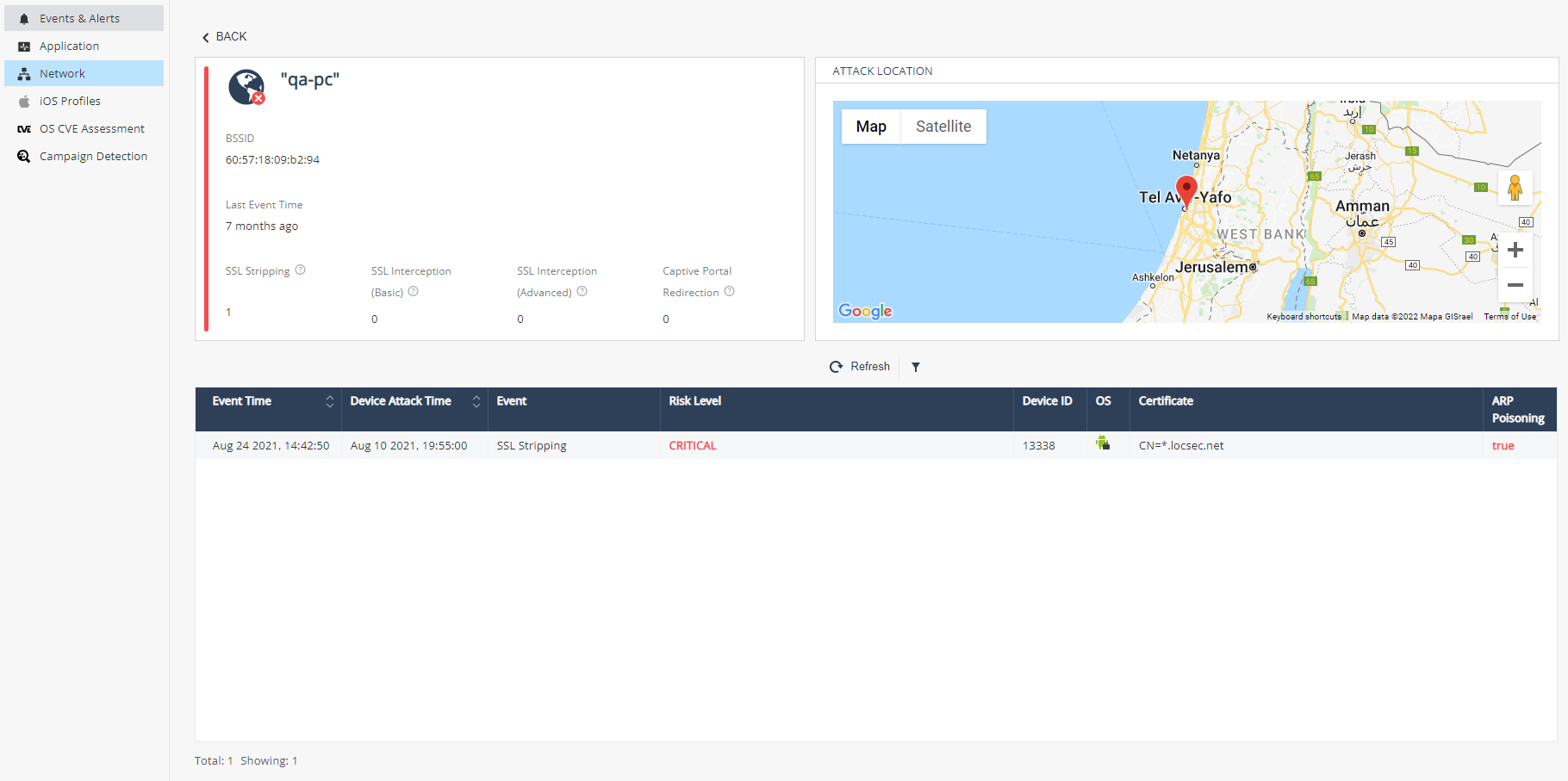
Information about reported events in the Network:
|
Item |
Description |
|---|---|
|
Network Details |
|
|
Network Name (SSID) |
The name assigned in the access point as the wireless network name. |
|
Occurrences |
Number of times a network event was reported for a device in this organization’s wireless network. |
|
BSSID |
The MAC address of the access point. It is used to identify the network, no matter if the Network Name was changed. |
|
Previous Network Names (SSIDs) |
If network name was changed, they are listed in this field. |
|
Attack location |
To receive Location, the user is required to enable location collection in the Dashboard Settings and to grant location collection permissions on their device. If the device has geo-location enabled for the Harmony Mobile Protect app, the location of the device is recorded when the device is connected to this network. |
|
Event Summary |
What type of Events were identified with this BSSID, such as SSL Stripping, SSL Interception, Captive Portal, etc. |
|
Network Event Details |
For each network event reported on this wireless network these details are provided:
|
|
|
Note - The networks in the list are identified by their BSSID, which is the unique network identifier. However, for readability purposes, the pronounced identifier is the network name (SSID). As a result, several networks of the same name may appear in the list next to each other. In such a case, please make sure to refer to the network of the desired BSSID. |
