
Collect a list of applications on the reference device
-
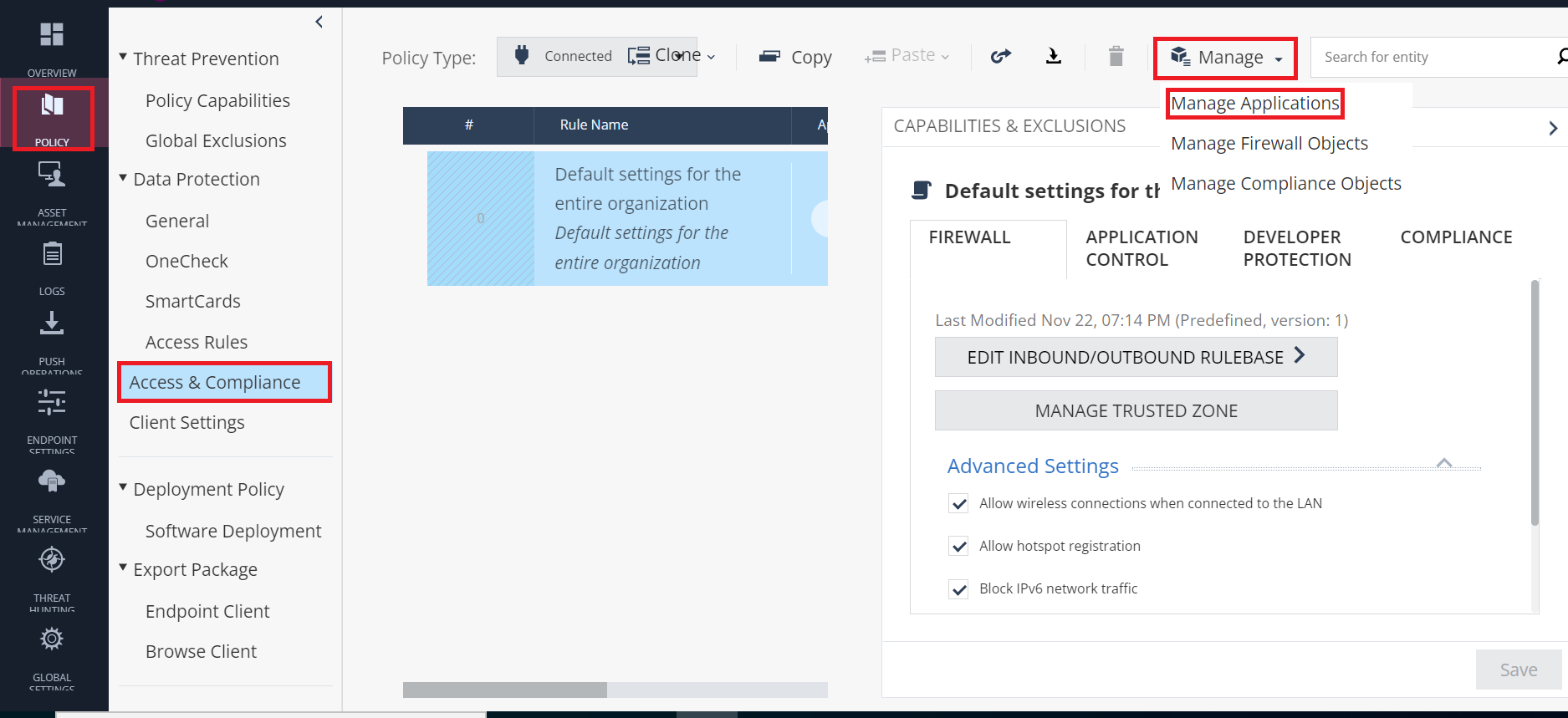
Go to Policy > Access & Compliance > Manage > Manage Applications.
-
Under Manage Applications, click Upload Applications.
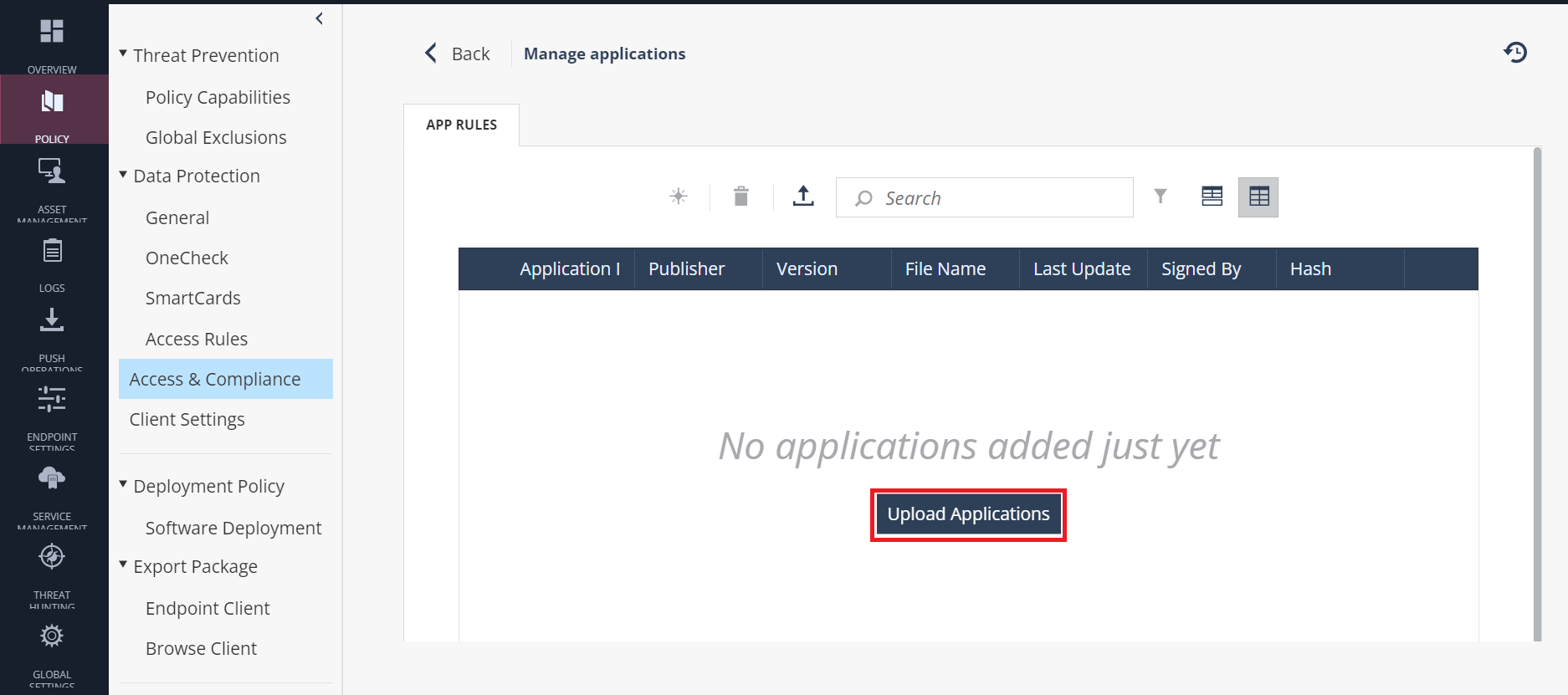
The Upload Applications window appears.
-
Under Download Appscan, click Download.
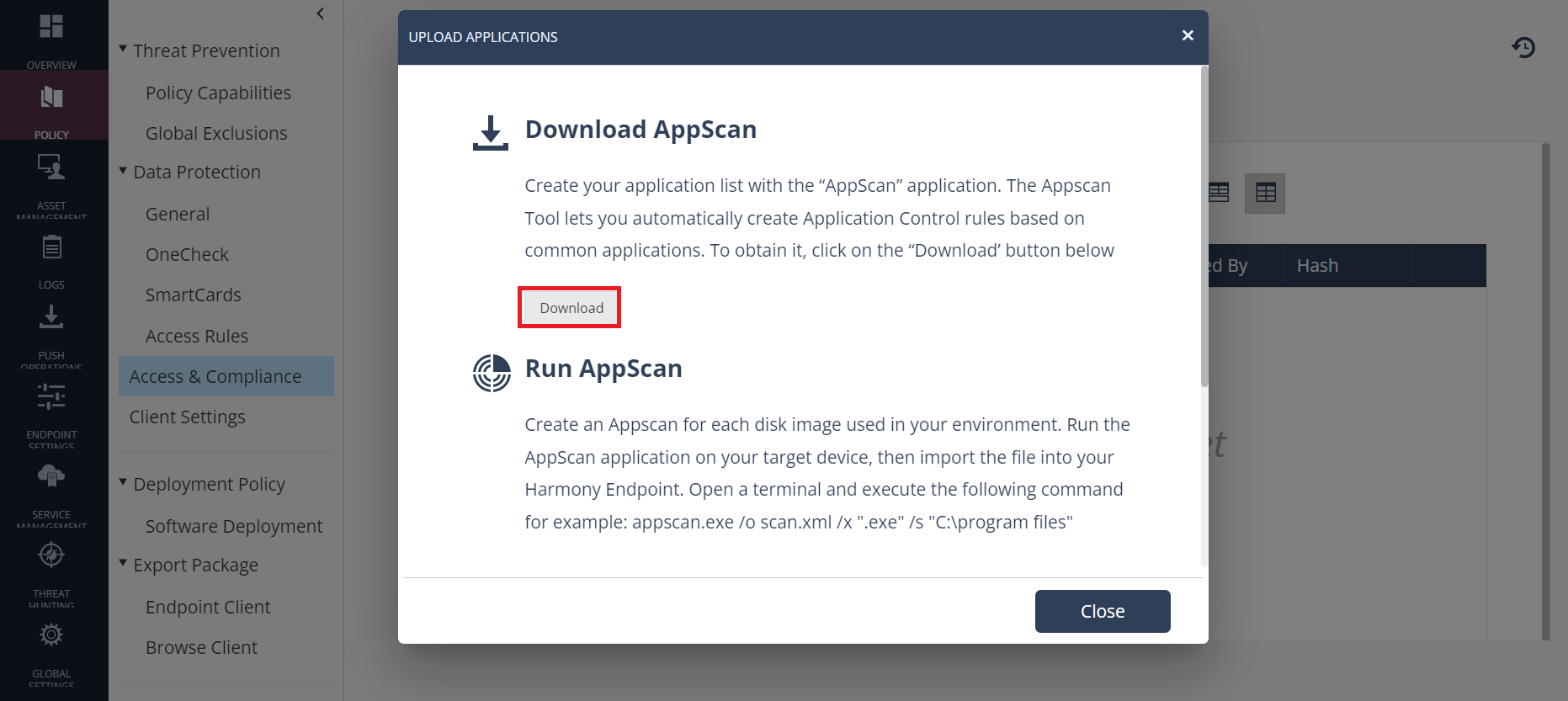
- Run the Appscan application on your target device with the applicable parameters. See Appscan Command Syntax.
This creates an Appscan XML file for each disk image used in your environment. When the scan is complete, an output file is created in the specified directory. The default file name is
scanfile.xml.