
Migrating from an Avanan Portal to a Check Point Portal
This document outlines the steps required to migrate access to your Avanan portal from the Avanan Portal to the Check Point Portal.
|
|
Note - Migration is not supported for Avanan MSP Portals and Avanan Portals that are managed by Avanan MSP Portals. |
Migration Steps
-
Submit a support ticket with Check Point Support requesting portal migration.

Note - If you already have a Check Point (Infinity) portal, include the portal ID in the support ticket. Check Point Support will ensure that your Avanan portal is migrated to your existing Check Point Portal.
-
Check Point support completes the migration on the backend.
Note - This process may take up to a couple of days.
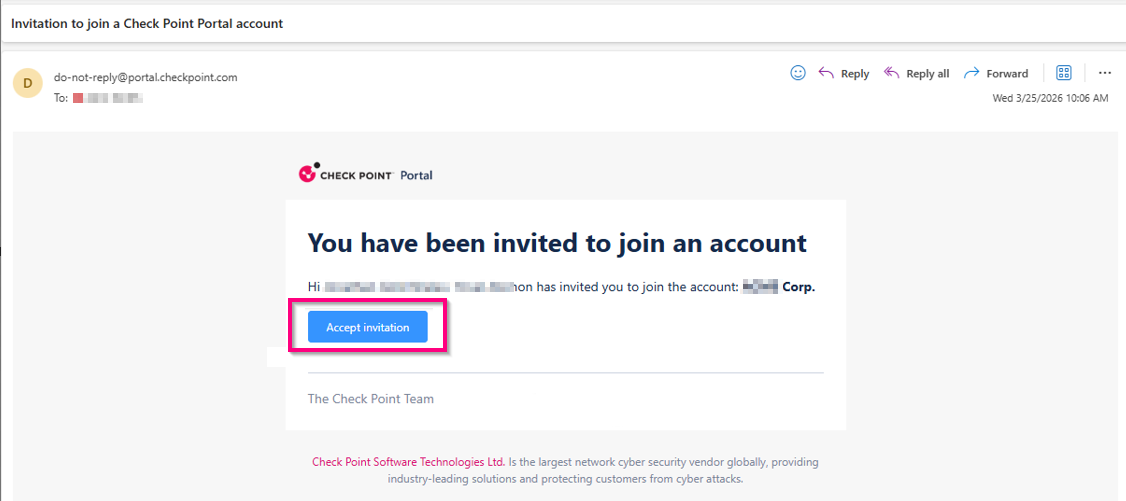
After completing the migration, the Check Point Portal sends a welcome email.
-
Click the link provided in the email to log into the Check Point Portal.
-
Follow the instructions to define a temporary password and configure Two-Factor Authentication (2FA).
-
Define users, user groups, and authentication settings (for example, SSO).
To learn more, refer to the following chapters in the Check Point Portal Admin Guide:
Accessing the Check Point Portal
After completing the migration steps, all users should access Check Point Avanan through the Check Point Portal.
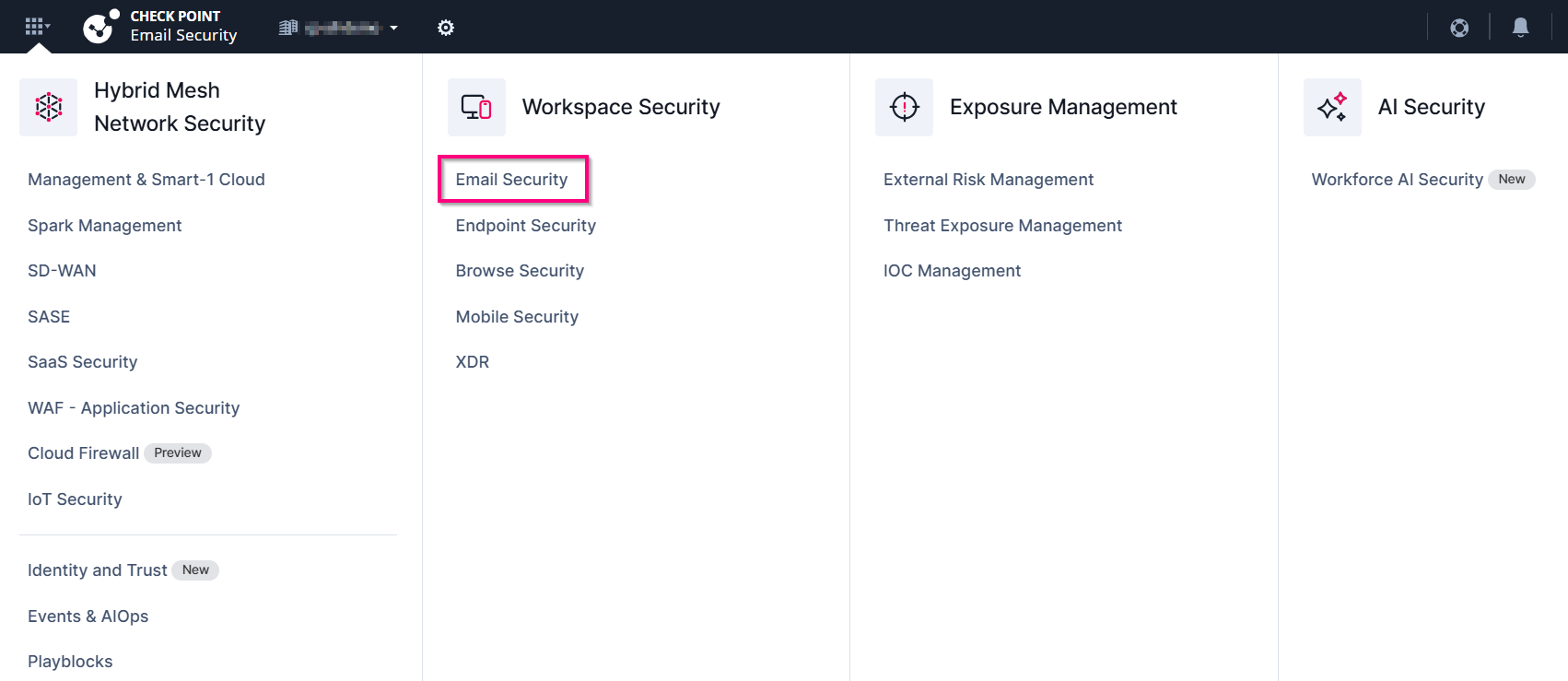
To access the Avanan from the Check Point Portal:
-
Sign in to Check Point Portal.
-
Click the Menu icon in the top left corner.

-
In the Workspace Security section, click Avanan.
To learn more about using the Check Point Portal and its documentation:
-
Sign in to Check Point Portal.
-
Click the
 support icon and select Admin guide > Portal Guide.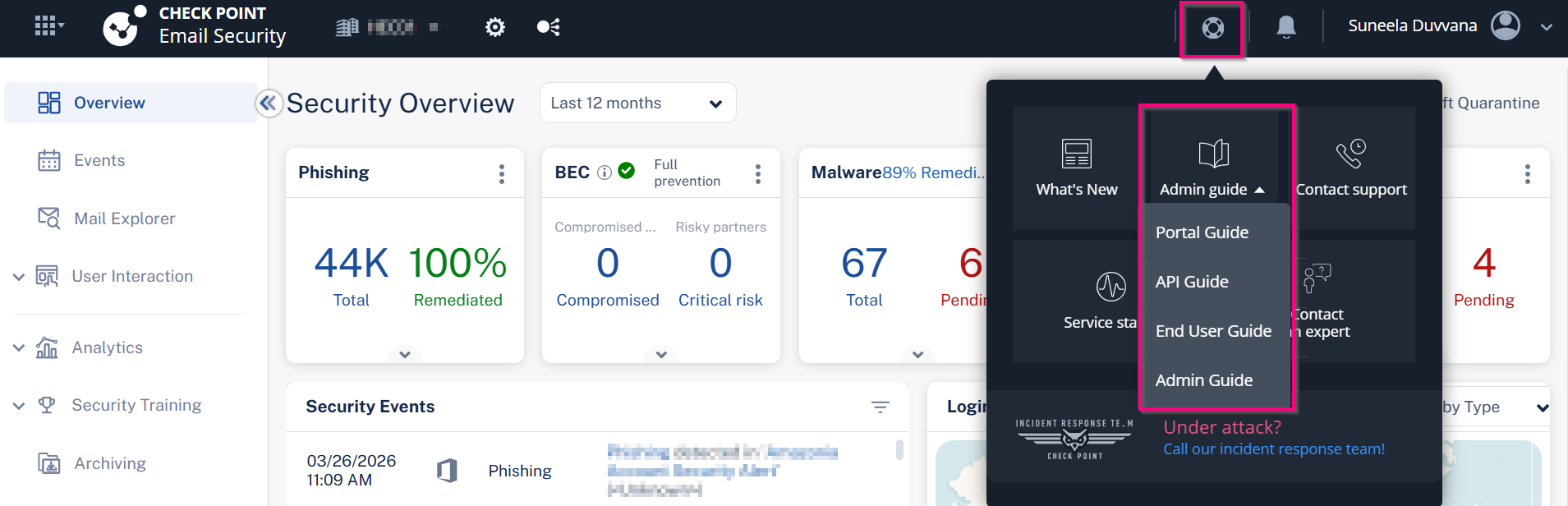
User Management and Access to the Avanan Portal
The Avanan Portal remains accessible only for a limited period and will eventually be discontinued. Check Point provides advanced notice through portal updates and the product updates blog.
After completing the migration:
-
All user additions, removals, and modifications must be performed only through the Check Point Portal.
-
Changes made in the Avanan Portal, including user and role assignments, do not synchronize with the Check Point Portal. Since user and user-group role assignments are not migrated, they must be reconfigured in the Check Point Portal as part of Migration Step 5 to avoid access inconsistencies.
Frequently Asked Questions (FAQs)
 Is all my historical data, including archived emails, migrated?
Is my data residency retained?
Are my custom roles migrated?
Is all my historical data, including archived emails, migrated?
Is my data residency retained?
Are my custom roles migrated?
Yes. All custom role definitions are migrated. However, user and user-group assignments to roles are not migrated. As part of Migration Step 5, you must manually reconfigure these assignments.
Can I still log into my Avanan Portal?
Yes, technically you can still access the Avanan portal, but doing so is not recommended. Access remains available only for a limited time. Additionally, any changes made to users or role assignments in the Avanan Portal does not sync with the Check Point Portal and may cause future access issues.