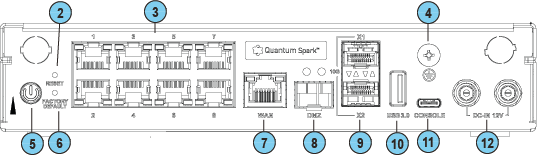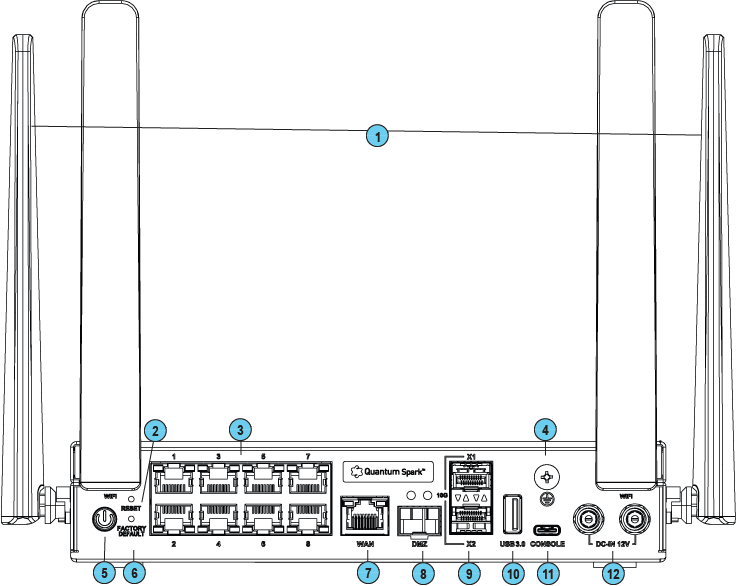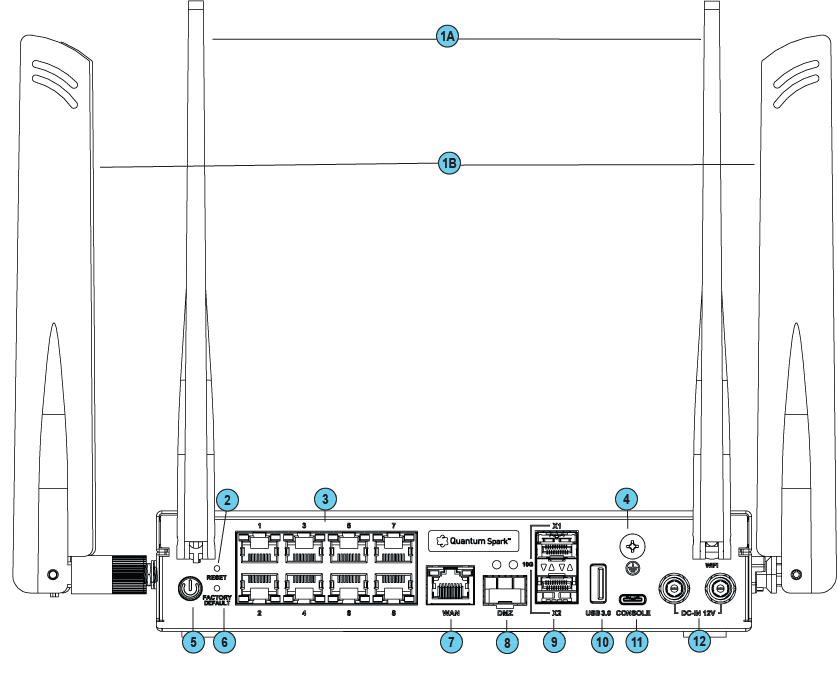
Back Panel

Wired

WiFi


WiFi + Cellular


Wired and WiFitable

Key

Item

Description

1

Antennas

WiFi models only

2

Reset

Short press resets the system but does not remove any user parameters.

3

LAN ports

RJ45 1GBE

LAN ports 1-8.

4

Ground screw

Functional grounding.

5

Power button

Push to turn the appliance on or off

6

Factory default

Press the button continuously for 12 seconds to restore the appliance to its factory default.

All user parameters previously configured are removed.

7

WAN port


8

DMZ port


9

SFP Cage

10GbE

X1-X2 ports 2

10

USB port 3.0 (Type-A)

USB port 3.0 for software download.

11

Console

Plug in the serial console cable here. Baud rate: 115200.

12

12-60V, - 48VDC input

Connects to the power source cable from your power infrastructure

WiFi + Cellular table

Key

Item

Description

1

Antennas

  • 1A - WiFi antennas

  • 1B - WiFi + Cellular antennas

2

Reset

Short press resets the system but does not remove any user parameters.

3

LAN ports

RJ45 1GBE

LAN ports 1-8.

4

Ground screw

Functional grounding.

5

Power button

Push to turn the appliance on or off

6

Factory default

Press the button continuously for 12 seconds to restore the appliance to its factory default.

All user parameters previously configured are removed.

7

WAN port


8

DMZ port


9

SFP Cage

10GbE

X1-X2 ports 2

10

USB port 3.0 (Type-A)

USB port 3.0 for software download.

11

Console

Plug in the serial console cable here. Baud rate: 115200.

12

12-60V, - 48VDC input

Connects to the power source cable from your power infrastructure